One of the more disconcerting comments I saw during 2007 was echoed recently in an IM conversation I had. The essence of the comment or statement is that Linux is no longer about being anti-Microsoft. With the retail success of Dell's Ubuntu line-up which has seen an ever-growing number of additional systems added to the line-up, the massive retail success of Asus's EeePC, and the relative success of OLPC, there appears to be empirical evidence that Linux is getting away from the reputation of simply being the alternative to Microsoft products. More and more people are looking at Linux for it's own merits as an Operating System Platform, rather than simply being a way out of Microsoft's hands.
I'm not so sure that I agree that Linux is no longer about being anti-Microsoft, or being the alternative to Microsoft. From my point of view Microsoft makes a pretty good baseline for what not to do, and how not to do it. From a business perspective a lot of analysts predict that Microsoft's business model is in trouble citing various factors from the EU and marketplace events. A couple sources have indicated that Linux on the mobile platform has taken over 40% or more of the shipping market from various online and brick-and-mortar retailers. Since Microsoft's base business model for Microsoft Windows is to attach a tax to every computer that is sold., that's a heavy blow to the standard business model Microsoft has used for years.
From a software perspective, I've compared Microsoft's software to an open cesspool. Whether or not anyone likes it, Microsoft products aren't exactly known for being svelte or slim. Instead, most Microsoft products have reputations for being loads of bloatware. Okay, from a technical viewpoint, Vista's heavy system requirements and large footprint are easily explained by trying to maintain NT5 compatibility, but what about everything else?
I've indicated before that I lack a certain respect for Open Office. For years Microsoft Office was considered the baseline on how not to make an Office Suite. In face to face comparisons Microsoft Office was the clear inferior to the likes of WordPerfect. Even in the most recent versions of Microsoft Office, on a feature set front, it's still behind WordPerfect 9, was released almost 10 years ago, in 1999. Open Office isn't much better on the feature front. The only version of Open Office I've seen with tabbed documents has been IBM's Lotus Symphony remix. It's my opinion that Sun Microsystems and the Open Office developers would have been better served targeting the feature set and functionality of Open Office after WordPerfect, which set a much higher standard.
From my point of view many of the people trying out Linux today are only doing so because there is a legitimate option to Microsoft. Consumers are slowly waking up to the fact that they don't have to put up with Microsoft's shenanigans anymore. The argument against Microsoft has moved from a technical viewpoint to a consumer viewpoint.
Over the past several years one of the big reasons to move to Linux or Unix was stability. During the late 1990's and into the earlier 2000's, Microsoft Windows had a reputation for being a stability nightmare. Starting with Windows 2000 that reputation changed. As an Operating System, the NT5 kernel Windows were not that bad on the stability front. With Vista Microsoft has again upped the ante. Yes, I can crash the Vista that came on my Asus F3K, but I generally have to use a 3rd party product. The OS itself doesn't cave in on itself.
Another reason to move from Windows to Linux or Unix was security. Microsoft is known to have the rock bottom reputation in terms of security. There is no other vendor with a track record as lousy as Microsoft's when it comes to reporting problems, and issuing fixes for problems. Sorry, that point is not up for argument or debate, it is established fact. However, that fact is mitigated by several factors. The first is that many of the most dangerous virus's that have been spread around have socially engineered virus's, that played on a normal person's trust of electronic communication or a persons lack of knowledge about computer systems.
Security is only as good as the end-user can make it, and Microsoft has a large problem in that a vast majority of their user-base simply does not care about security. The security problem is compounded by many users buying security products like Norton and McAfee that simply do not work. I know from my own personal tests that McAfee and Norton have the lowest hit rate of any anti-virus I have tested not just once, but in 2003, 2004, 2005, 2006, and last year 2007. I'm not really holding hopes up that 2008 will have either anti-virus product achieving a successful detection rate of over 50%.
From a pure security standpoint, an expert user can lock down any Microsoft product like they can lock down a Linux or Unix product. Traditionally in the past Linux and Unix have been more secure by default, but to somebody who knows what they are doing, the phrase if it's reachable, it's breachable holds true.
Then there is the performance argument. I was once telling a coalition member in City of Heroes that I no longer booted into Windows to play the game, I only used Linux and Cedega. The coalie member was extremely interested in switching because it was widely known that Linux was faster than Windows on the same platform, so the game would of course run faster. Umm... no. Not really. I wound up going into a fractured discourse about how whether or not W.I.N.E. liked it, they were actually an emulator. Call it a wrapper, call it whatever they want, at some point there is a conversion from Windows systems calls to Linux System calls, and that's an emulation technique. With the commands having to get converted at some point, NT5 compatible games running under W.I.N.E. or Cedega would probably never be able to outpace themselves running directly through NT5 on the same hardware . Running on NT6... it might actually be faster. Basically, you could expect parity in performance, but you were not going to magically gain an extra 20 frames per second with the same detail level on the same hardware.
In terms of performance, yes, Vista is again, rock bottom. I made a comment before about how Vista set records making records about how badly it performed in terms of Instructions per Clock cycle. However, performance is relative. Yes, the Linux kernel can run on an i386 25mhz Intel Processor. Would I want to try running the KDE 3.x desktop on that processor? No. In my own testing I've found that the performance breakpoint for KDE 3.x is somewhere around 500mhz on an Intel Pentium III processor. As an overall desktop, KDE4 tends to be heavier than KDE 3.x.
While Linux has a reputation for being able to rescue older hardware, there is a price to be paid for that operation. Some of the best user-friendly applications for Linux today such as Amarok, K3B, and KDE4... simply won't run on older hardware. That doesn't mean that you can't run Linux on older hardware, you'll just have to use different products, which may or may not have user-friendly interfaces. Ergo, if you want to have a desktop Linux experience that is as good or better than Microsoft Windows Xp, you'll need pretty much the same hardware that you'd need with Microsoft Windows Xp.
From a technical standpoint then, the normal reasons given to consumers to run away from Microsoft are not as effective as they once were. With such factors losing their importance, it is important to continue to make Linux Distributions different from Microsoft Windows. Not just different in terms of how they look, but different in being more secure out of the box, having visibly better performance on the same hardware, and having obviously superior feature sets.
So yes, Microsoft is still very much a factor in the development of Linux. Microsoft is the benchmark of what not to do, where not to go, and what to be better than. Microsoft is still a very large factor in where Linux is going today, and tomorrow.
Saturday, March 29, 2008


Friday, March 28, 2008
Mepisguides update
Mepisguides.com has moved again. The new url will be http://www.mepislovers.org/mepisguides
Currently though, MepisLovers.org is being moved to a new server, and I've only recently instructed GoDaddy to foward the Mepisguides.com domain to the Mepislovers address. This presents a few technical problems with my site layout.
Since I built all of the guides in NVU to use a folder format, the pictures themselves should be in place without additional modification. However I used a hard format http://www.mepisguides.com domain link for linking page 1, 2, 3, and so on together. I also used a hard format link on linking similar guides, or guides from the same set.
BlueG, the host, has edited some of the html files to point to the new location on Mepislovers instead of Mepisguides. However, there are multiple pages that are still mislinked and need to be fixed.
I've already had one offer to help with updating the current guide sets to point to the new domain location, but we'll probably need more. If you'd like to help in fixing the html links, just drop me a PM on Mepislovers once the site settles down.
Currently though, MepisLovers.org is being moved to a new server, and I've only recently instructed GoDaddy to foward the Mepisguides.com domain to the Mepislovers address. This presents a few technical problems with my site layout.
Since I built all of the guides in NVU to use a folder format, the pictures themselves should be in place without additional modification. However I used a hard format http://www.mepisguides.com domain link for linking page 1, 2, 3, and so on together. I also used a hard format link on linking similar guides, or guides from the same set.
BlueG, the host, has edited some of the html files to point to the new location on Mepislovers instead of Mepisguides. However, there are multiple pages that are still mislinked and need to be fixed.
I've already had one offer to help with updating the current guide sets to point to the new domain location, but we'll probably need more. If you'd like to help in fixing the html links, just drop me a PM on Mepislovers once the site settles down.
Thursday, March 27, 2008
MMO: The -R- files - to LJ
I originally started the post that is on LJ as another position editorial against PvP play in the CoH games. However, an event on a task force caused me to trip over on what I was thinking. I tried to merge the two points... and well... failed. Basically, I don't feel good about what I wrote... however, some of the points I think needed to be made. I think the posting is more disjointed and rantish than it should be.
Anyways, if you want to read probably one of my worst rants to date: Click Here.
Anyways, if you want to read probably one of my worst rants to date: Click Here.
Wednesday, March 19, 2008
MepisGuides - Wireless Walkthrough
Okay, here we go. As mentioned in the previous post, Mepisguides.com is out for I don't know how long. So, I'm going to start posting some guides here, like I've done with Tabula Rasa. Because the Blogger format only really lets me do thumbnails, I went ahead and left my laptop in it's normal 1280*800 resolution. Ergo, click the pictures for the full size version.
The laptop in use is my Asus F3K, and I believe this makes the first time I've used it for a guide. The access point in use is a Linksys WAP54G, which thanks to some donations replaced the awful Trendnet access point I had before. So yes, if you donated, thank you, that paid for a better wireless access point that actually will actually transfer data... not halt it.
There are two ways to handle wireless connections under Mepis 7. So lets get started.
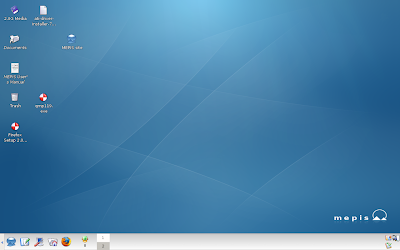
1: Standard desktop, and you might note there are only 3 icons in the lower right hand corner.
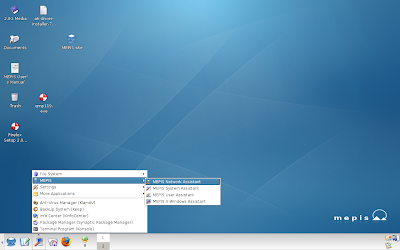
2: Okay, lets open up the Mepis Network Assistant
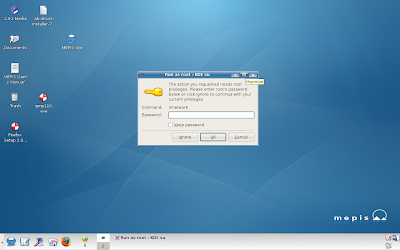
3: Input the root password.
4: Here on the General tab we can see that Mepis 7 defaults to Manual(mnetwork)
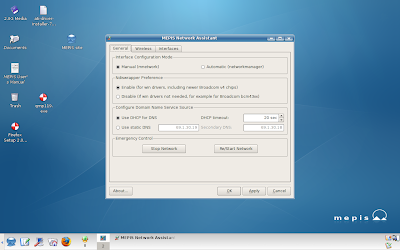
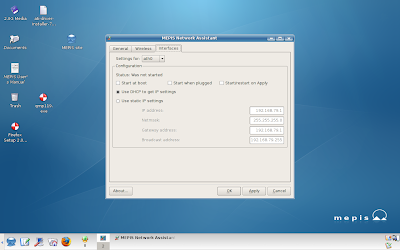
5: The interface tab shows that an Ath0 adapter has been detected, which means Mepis thinks this laptop is using an Atheros network adapter.
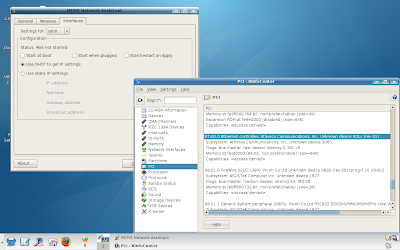
6: As usual Mepis's hardware detection is superb. This is an Atheros Network adapter.
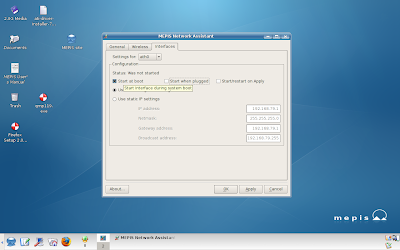
7: The advantage of using the Mepis Assistant is that you can have the connection start on system boot.
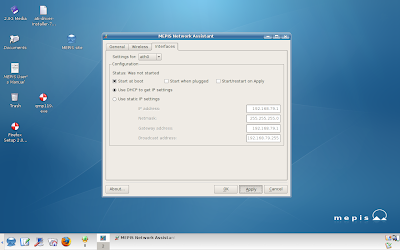
8: Apply the changes to start at boot...
9: Left click Ok to clear the window.
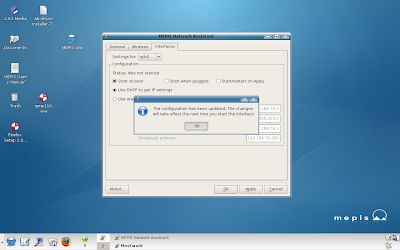
10: On the Wireless tab we can set our login information.
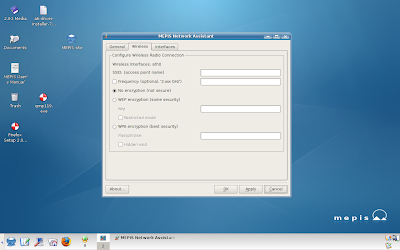
11: With the Mepis Assistant all the information will need to be entered manually, such as the SSID...
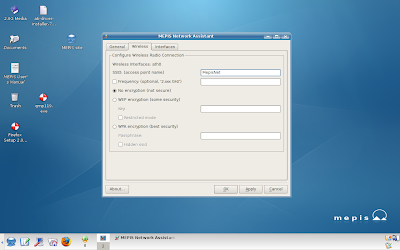
12: And the keys will need to be entered manually. I'm using WEP for a reason, and we'll go into that later.
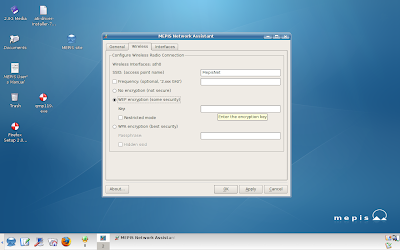
13: With my WEP key entered, a left click to Apply.
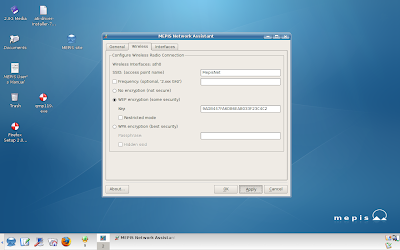
14: Left Click OK to clear the warning...
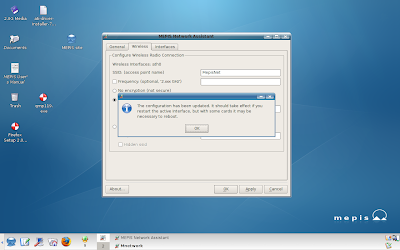
15: Another left click on OK to close out...
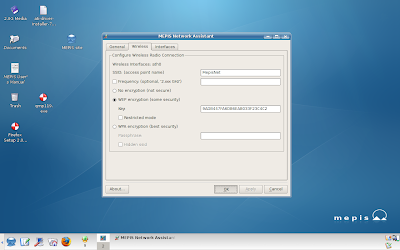
16: And lets reboot with our network set to connect on boot....
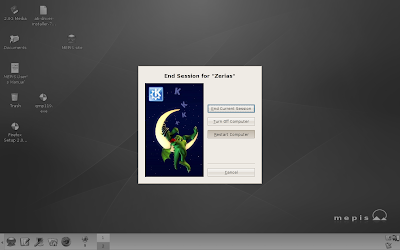
17: Back up, and... we find that Mepis has not connected.
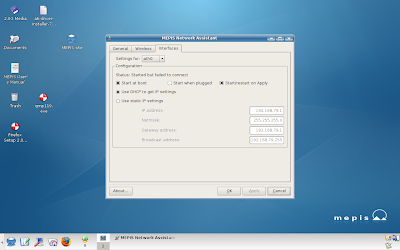
18: Back on the General Tab there should be a tab for Automatic (networkmanager)
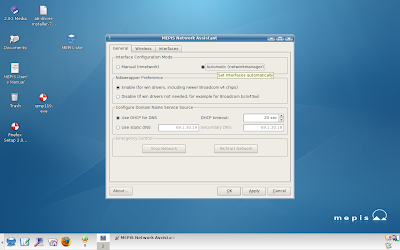
19: With Automatic selected, left click on Ok.
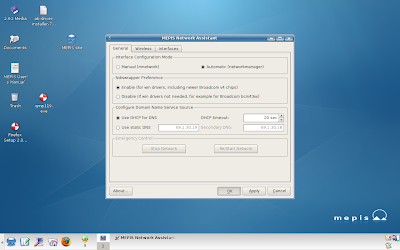
20: Left Click on OK to clear the warning.
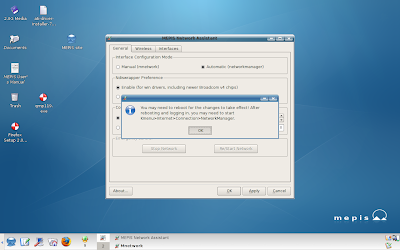
21: Restart the computer.
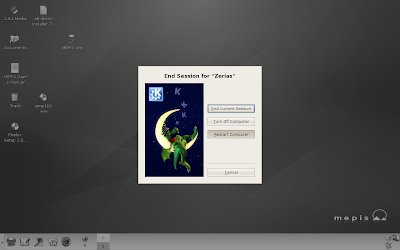
22: Once the computer starts back up, head to Internet in the Kmenu.
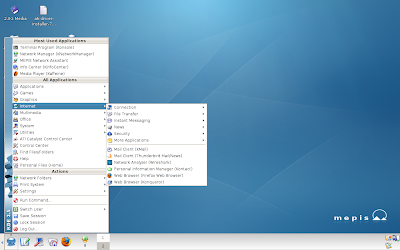
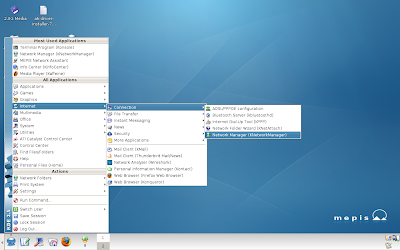
23: Select Network Manager with a Left Click.
24: Now there should be a forth icon in the lower right hand corner.
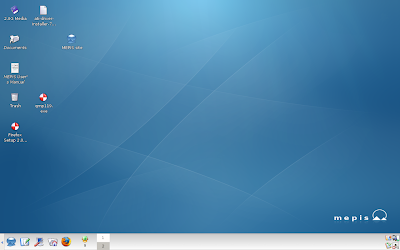
25: Right clicking on the icon brings up a list of all available wireless networks.
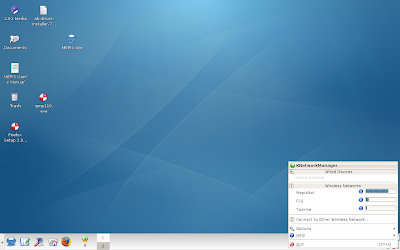
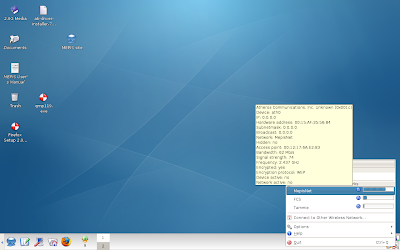
26: As you mouse over a wireless network, you'll notice a pop-up that gives pertinent information about the connection, such as the frequency, the network bandwith, and whether or not the network is encrypted.
Just select the desired network with a left click.
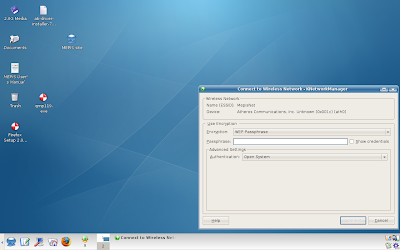
27: On an encrypted network, like the one I've set up, Knetworkmanager will pop up a box asking for the encryption key.
With the manual setting in the Mepis Assistant, the binary string needs to be entered.
28: Here? Just enter the pass-phrase for the network.
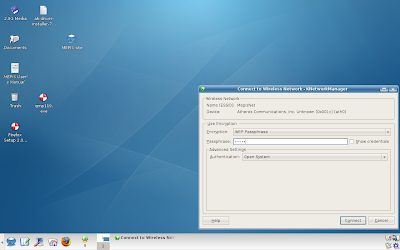
29: Rather simple just to put in the easy to remember text, although using guide is a bit tacky.
Then again... when have I not been tacky?
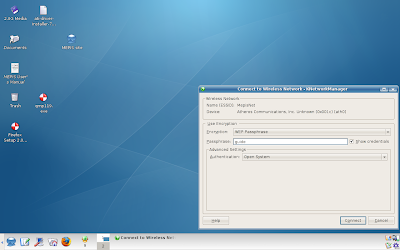
30: With the passkey entered, just Left Click on Connect.
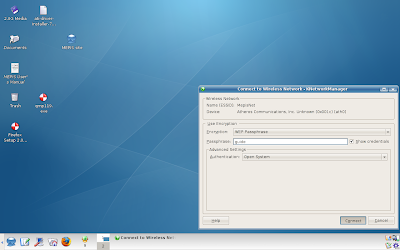
31: At this point there should be a pop-up showing the connection state.
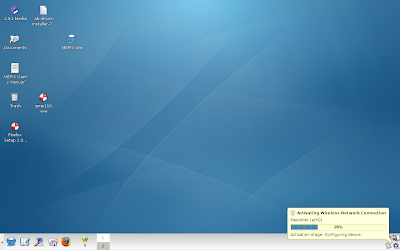
32: If the connection is successful, a Knemo icon should appear in the lower right hand corner.
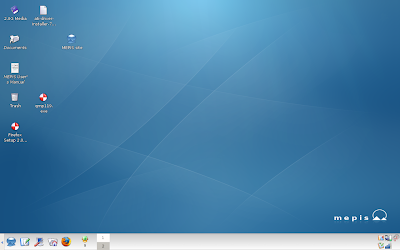
33: Right Clicking on the knetworkmanager now shows that MepisNet is connected.
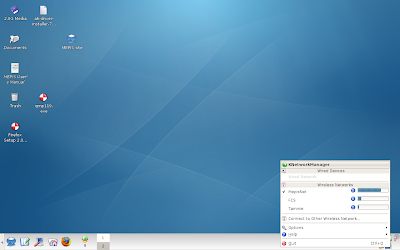
34: Lets work on on making Knetworkmanager a little quicker to start.
Mouse over options and then left click on Configure
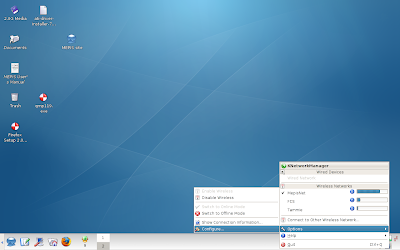
35: One of the very first options is to start Knetworkmanager on boot.
Left Click on the check box to select the option.
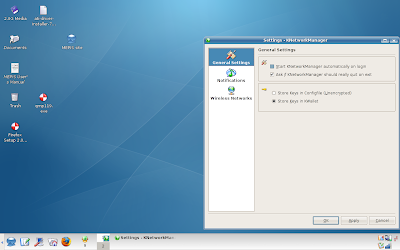
36: Then Left Click on Apply or Okay...
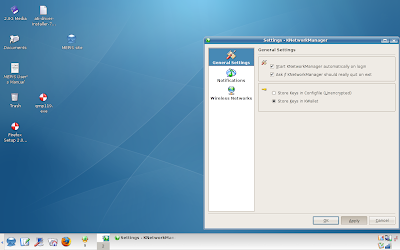
37: The restart the computer.
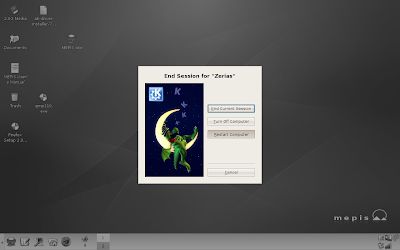
38: On restart we can see that the Knetworkmanager icon has loaded in the lower right hand corner.
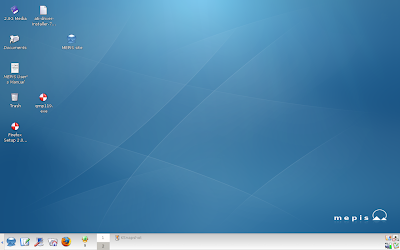
39: So, same steps as before. Left Click on the desired network...
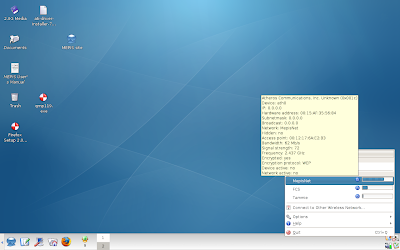
40: Here we can see that our password was saved, so left click on connect.
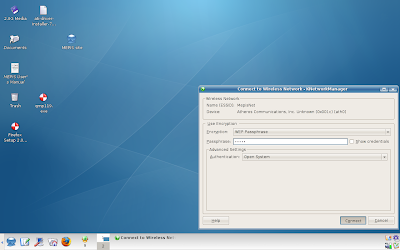
41: This time, as the network hits 85%, and the connection is established, kwallet pops up.
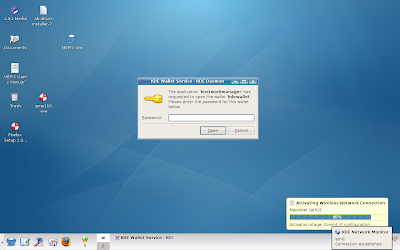
42: Now, I'm not going to say whether or not you have to use Kwallet to store the password. Your choice.
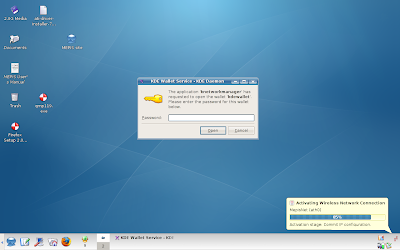
43: Anyways, we are successfully connected.
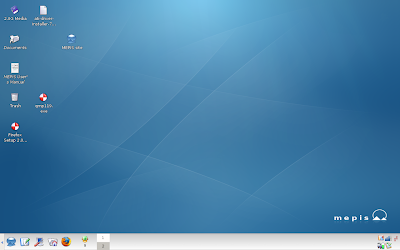
44: So lets restart and see how this works out.
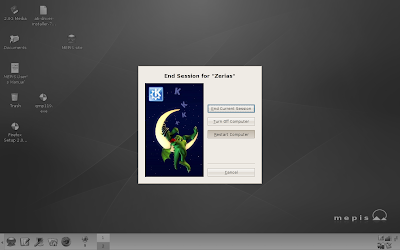
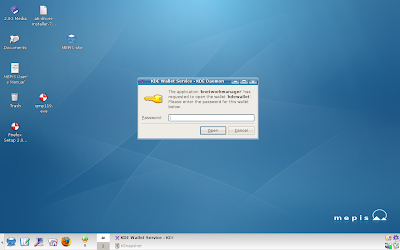
45: On login Kwallet has popped up and is asking me to enter the password...
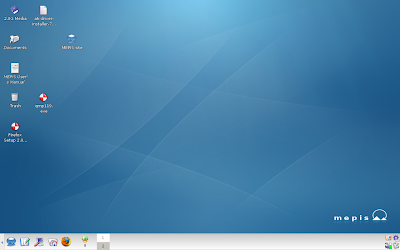
46: As the system connects, we should see a purple gear turning in the lower right hand corner.
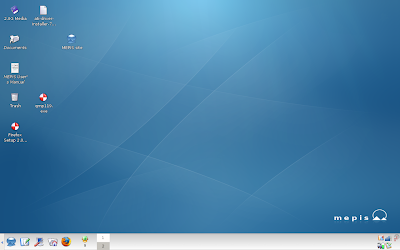
47: And without any additional input, we are connected.
Alright, so that's Mepis 7 with a WEP key. Is the process as simple with a WPA key? Lets find out.
I went back into the router and changed the encryption type from WEP to WPA, and set a new passcode since the previous code, guide, was too short.
48: Okay, now the MepisNet connection is showing an encryption of WPA.
Left Click to the desired network
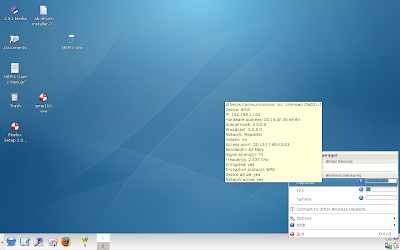
49: As with the WEP connection, we have a connection box.
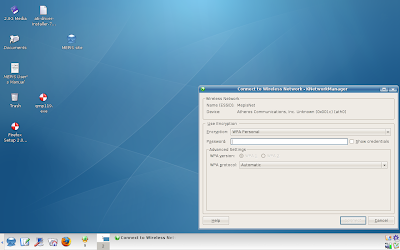
50: enter the pass key...
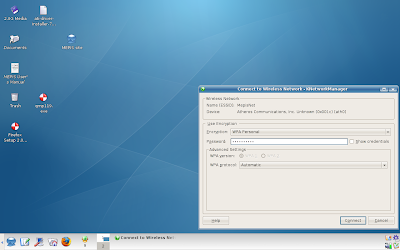
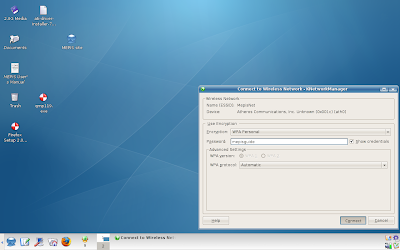
51: Which in this case is mepisguide
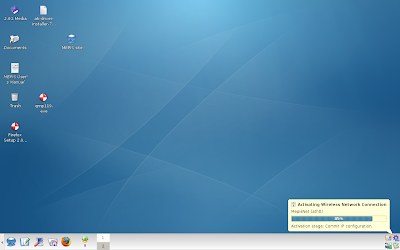
52: wait for the connection...
53: deal with kwallet...
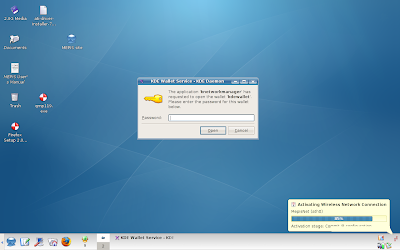
54: connected with WPA.
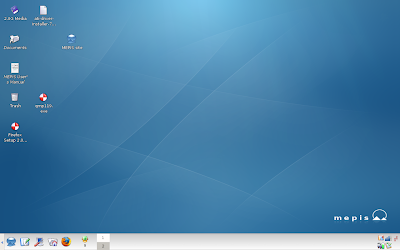
So, there we go. I hope that's fairly complete on how to connect to wireless with Mepis 7.
The laptop in use is my Asus F3K, and I believe this makes the first time I've used it for a guide. The access point in use is a Linksys WAP54G, which thanks to some donations replaced the awful Trendnet access point I had before. So yes, if you donated, thank you, that paid for a better wireless access point that actually will actually transfer data... not halt it.
There are two ways to handle wireless connections under Mepis 7. So lets get started.
1: Standard desktop, and you might note there are only 3 icons in the lower right hand corner.

2: Okay, lets open up the Mepis Network Assistant

3: Input the root password.

4: Here on the General tab we can see that Mepis 7 defaults to Manual(mnetwork)

5: The interface tab shows that an Ath0 adapter has been detected, which means Mepis thinks this laptop is using an Atheros network adapter.

6: As usual Mepis's hardware detection is superb. This is an Atheros Network adapter.

7: The advantage of using the Mepis Assistant is that you can have the connection start on system boot.

8: Apply the changes to start at boot...

9: Left click Ok to clear the window.

10: On the Wireless tab we can set our login information.

11: With the Mepis Assistant all the information will need to be entered manually, such as the SSID...

12: And the keys will need to be entered manually. I'm using WEP for a reason, and we'll go into that later.

13: With my WEP key entered, a left click to Apply.

14: Left Click OK to clear the warning...

15: Another left click on OK to close out...

16: And lets reboot with our network set to connect on boot....

17: Back up, and... we find that Mepis has not connected.

Okay, so lets take a moment to review. I know I have a good wireless access point. I know it works because my Nintendo Wii connects fine. I know my DS connects fine. But... with the manual setting, Mepis 7 was not able to connect, although it identified the hardware.
In addition, the manual setting isn't exactly userfriendly if you need to connect to multiple networks. If you are out and about, say at Taco Bell, an airport, or hotel, it's going to be a right pain reconfiguring Mepis 7. Surely there is a better way?
There is. Lets meet up with the KnetworkManager
18: Back on the General Tab there should be a tab for Automatic (networkmanager)

19: With Automatic selected, left click on Ok.

20: Left Click on OK to clear the warning.

21: Restart the computer.

22: Once the computer starts back up, head to Internet in the Kmenu.

23: Select Network Manager with a Left Click.

24: Now there should be a forth icon in the lower right hand corner.

25: Right clicking on the icon brings up a list of all available wireless networks.

As we can see, the SSID I entered earlier, MepisNet, is displayed. You might also notice other networks, both with extremely low signal levels. Here's the reality about wireless connection: distance matters. Yes, I can see other networks. Can I connect to them? No. And yes, FCS is related to another project I am involved with, you might have seen it before with the Unreal Tournament guides.
26: As you mouse over a wireless network, you'll notice a pop-up that gives pertinent information about the connection, such as the frequency, the network bandwith, and whether or not the network is encrypted.
Just select the desired network with a left click.

27: On an encrypted network, like the one I've set up, Knetworkmanager will pop up a box asking for the encryption key.
With the manual setting in the Mepis Assistant, the binary string needs to be entered.

28: Here? Just enter the pass-phrase for the network.

29: Rather simple just to put in the easy to remember text, although using guide is a bit tacky.
Then again... when have I not been tacky?

30: With the passkey entered, just Left Click on Connect.

31: At this point there should be a pop-up showing the connection state.

32: If the connection is successful, a Knemo icon should appear in the lower right hand corner.

33: Right Clicking on the knetworkmanager now shows that MepisNet is connected.

34: Lets work on on making Knetworkmanager a little quicker to start.
Mouse over options and then left click on Configure

35: One of the very first options is to start Knetworkmanager on boot.
Left Click on the check box to select the option.

36: Then Left Click on Apply or Okay...

37: The restart the computer.

38: On restart we can see that the Knetworkmanager icon has loaded in the lower right hand corner.

39: So, same steps as before. Left Click on the desired network...

40: Here we can see that our password was saved, so left click on connect.

41: This time, as the network hits 85%, and the connection is established, kwallet pops up.

42: Now, I'm not going to say whether or not you have to use Kwallet to store the password. Your choice.

If you do use kwallet to store your connection data, you'll have to input your kwallet password everytime the system starts up to connect. If you do not use kwallet, you'll need to enter in your encryption key everytime you want to connect. In doing this I discovered a possible bug that is difficult to address.
Kwallet saves the login information in the order that its entered. Lets use FCS as the example. I set up FCS first, and I instructed kwallet to save the FCS encryption key first. Everytime the laptop started up, kwallet defaulted to the FCS encryption key. When I setup the MepisNet SSID for this guide, kwallet still forced a connection to the FCS network.
In order to get kwallet to default to the MepisNet connection, I had to go in and manually delete the FCS key. Something to keep in mind if you change connections a lot.
43: Anyways, we are successfully connected.

44: So lets restart and see how this works out.

45: On login Kwallet has popped up and is asking me to enter the password...

46: As the system connects, we should see a purple gear turning in the lower right hand corner.

47: And without any additional input, we are connected.

Alright, so that's Mepis 7 with a WEP key. Is the process as simple with a WPA key? Lets find out.
I went back into the router and changed the encryption type from WEP to WPA, and set a new passcode since the previous code, guide, was too short.
48: Okay, now the MepisNet connection is showing an encryption of WPA.
Left Click to the desired network

49: As with the WEP connection, we have a connection box.

50: enter the pass key...

51: Which in this case is mepisguide

52: wait for the connection...

53: deal with kwallet...

54: connected with WPA.

So, there we go. I hope that's fairly complete on how to connect to wireless with Mepis 7.
Subscribe to:
Posts (Atom)